MODEL EXPLORER / MODERN LLMS
Let a router choose the experts
How can a token use only part of a larger network?
RECORDED NUMERICAL EXAMPLE
Choose experts for each token.
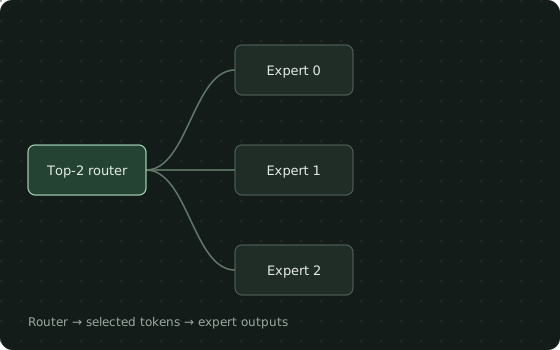
Recorded sparse dispatch through eight experts. Parameter counts include expert matrices only, excluding the router. More total parameters does not mean all are evaluated for every token. Batch imbalance remains visible in the load counts.
Eight untrained SwiGLU experts share identical weights across these cases. Lines show actual selected routes, not learned semantic specializations. Switch keeps the winning softmax probability; the top-2 variants normalize over selected experts. The 2017-style case adds seeded learned-scale Gaussian noise during training. No capacity limits or dropped tokens are modeled.
Connection weights
| Tokens | Experts | Weight |
|---|---|---|
| Token 0 | E0 | 0.8623 |
| Token 1 | E2 | 0.8623 |
| Token 2 | E4 | 0.8623 |
| Token 3 | E6 | 0.8623 |
Bars share one scale within this example. Values are rounded to four significant digits.
- Active expert parameters per token
- 288
- Total expert parameters
- 2304
- Experts used across this batch
- 4
- Maximum expert token load
- 1
Verified by the local recipe
- Sparse token dispatch equals an independent dense weighted reference
- Top-1 retains its selected softmax probability; top-2 renormalizes the selected weights
- Only selected experts receive nonzero gradients for a single token
- Noisy top-k is reproducible with a fixed seed and noise is disabled in evaluation
Download the source and run.py to reproduce these checks. Choosing an example here replays recorded values.
THE SAME MODEL, ON YOUR MACHINE
Pick up where
the graph leaves off.
Compare noisy top-k, Switch-style top-1 and Mixtral-style top-2. Inspect sparse dispatch, gate weights and uneven expert loads.
Use in VS Code ↗1. Save these files in one folder
2. Reproduce the example
Use Python 3.13 in a dedicated environment, matching the tested recipe. These commands are for macOS / Linux shells.
python3.13 -m venv .venv
source .venv/bin/activate
python -m pip install -r requirements.txt
python run.py
Expected output: [3,1,4,8]
Input 1: [1,4,8] · float32 randn · CPU / eval · seed 0
3. Open the source in TensorViz
Install the preview, open this folder in local VS Code, and choose Open as Graph above SparseRoutingComparison in model.py. Select your Python environment. Save before choosing Validate.
Installation and supported setup ↗
The recipe was run with Python 3.13.13 and Torch 2.7.1. This is an untrained example; a successful shape check does not measure accuracy.
ABOUT THIS EXAMPLE
Compare noisy top-k, Switch-style top-1 and Mixtral-style top-2. Inspect sparse dispatch, gate weights and uneven expert loads.
Component · 2017
Sparse MoE / Switch / Mixtral
Routing comparison with eight width-8, hidden-12 SwiGLU experts per branch. Captures 2017-style noisy top-k, Switch-style probability-weighted top-1 and Mixtral-style normalized top-2. Original models use different expert and training configurations.
Source, capture & limitations +
Only a reduced routing subsystem. No expert-capacity limits, token dropping, auxiliary load-balancing optimization, distributed communication or pretrained specialization. A batch can activate every expert even when each token uses just one or two. The static graph contains possible paths; recorded routes show which were used.
Original TensorViz teaching example. PyTorch provides the underlying operators.
No separate redistribution license has been declared for these project examples.
- Content revision
5e72fa1398a92512- Source SHA-256
aa0bfb2ae5ecdfacf9f0a11e9ce4910ede59b82eeb01785880576aec856525f9- Captured
- 2026-09-17 · Python 3.13.13 / Torch 2.7.1
Eight-expert CPU sparse dispatch with independent dense-reference checks. Recorded seeded noisy training routes and deterministic top-1/top-2 routes; no weights or distributed runtime.
Read the model manifest ↗